
Lumber Empire Train: Loading, Timers and Rewards
Last updated:
The train gives you a limited window to deliver wood for cash and a possible Employee Crate. Prepare before it arrives so you can spend the loading time making deliveries.
Watch the next-train countdown and gather wood in advance. When the train arrives, carry wood to it until the loading timer ends. The train then leaves and displays the delivery reward; logs are accepted, and a delivery can also award an Employee Crate.
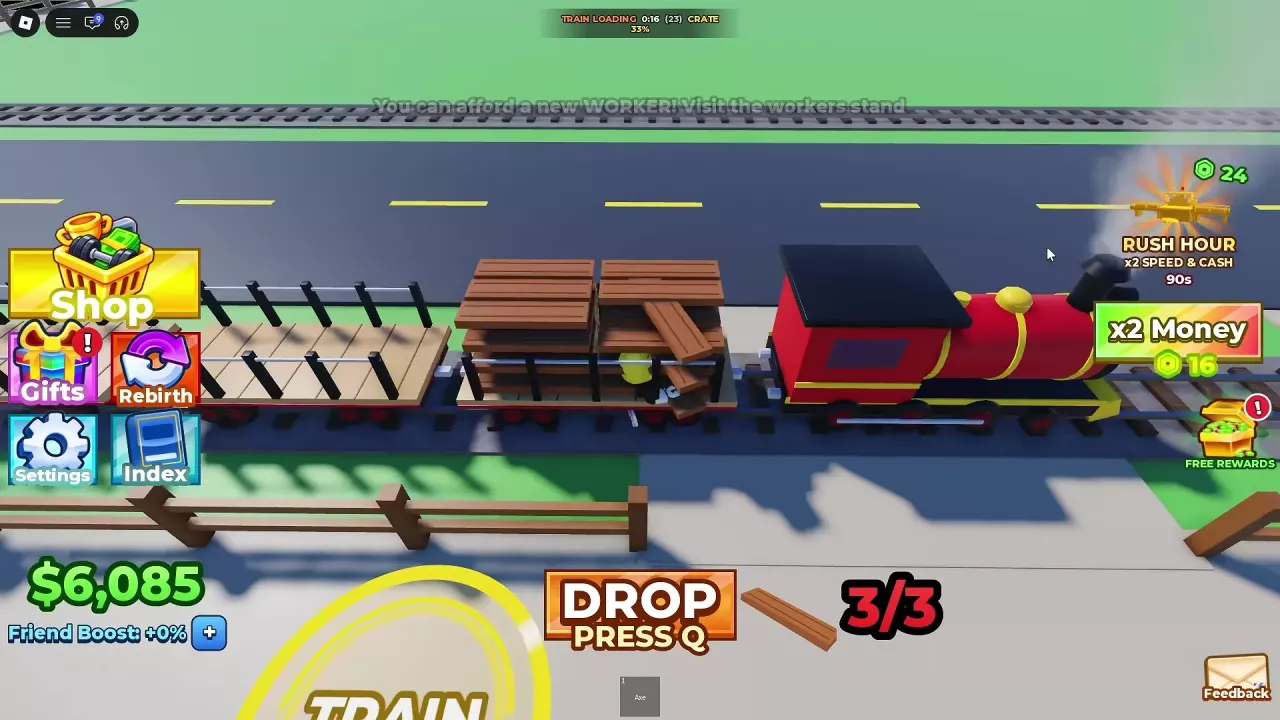
Prepare Wood Before the Train Arrives
Use the next-train countdown to plan your gathering. Chop trees and collect their logs before arrival; logs can be loaded as cargo. Having wood ready means less of the loading window is spent gathering.
Load During the Countdown
- When the train arrives, carry your wood to the train.
- Keep delivering available wood while watching the remaining time, loaded item count, and progress display.
- Finish your trips before the countdown reaches zero. TRAIN LEAVING appears as the train departs, and the next-train countdown returns afterward.
Cash and Employee Crate Rewards
The train displays the delivery result when it leaves. Deliveries provide cash and can also award an Employee Crate.
For example, one delivery of 35 items awarded a $5,450 bonus, displayed with a +200% label, and one Employee Crate. This is one delivery result, not a fixed reward for every 35 items.
To use a crate, select it in your hotbar and use it to roll for an employee. See the Employee Crates guide for more on opening and rewards.
Use the Loading Window Effectively
Once loading starts, prioritize carrying the wood you already have to the train. Increasing your Carry Capacity lets you move more per trip, which can help you deliver more within the timer. Visit Player Upgrades for the upgrade controls and limits.
For a comparison with regular truck sales, see Trucks and Train.