
How to Make Chairs, Tables and Beds in Lumber Empire
Last updated:
The Workshop turns your processing line into a furniture business. Build its connections to make and sell chairs, then upgrade the facility to produce tables and beds.
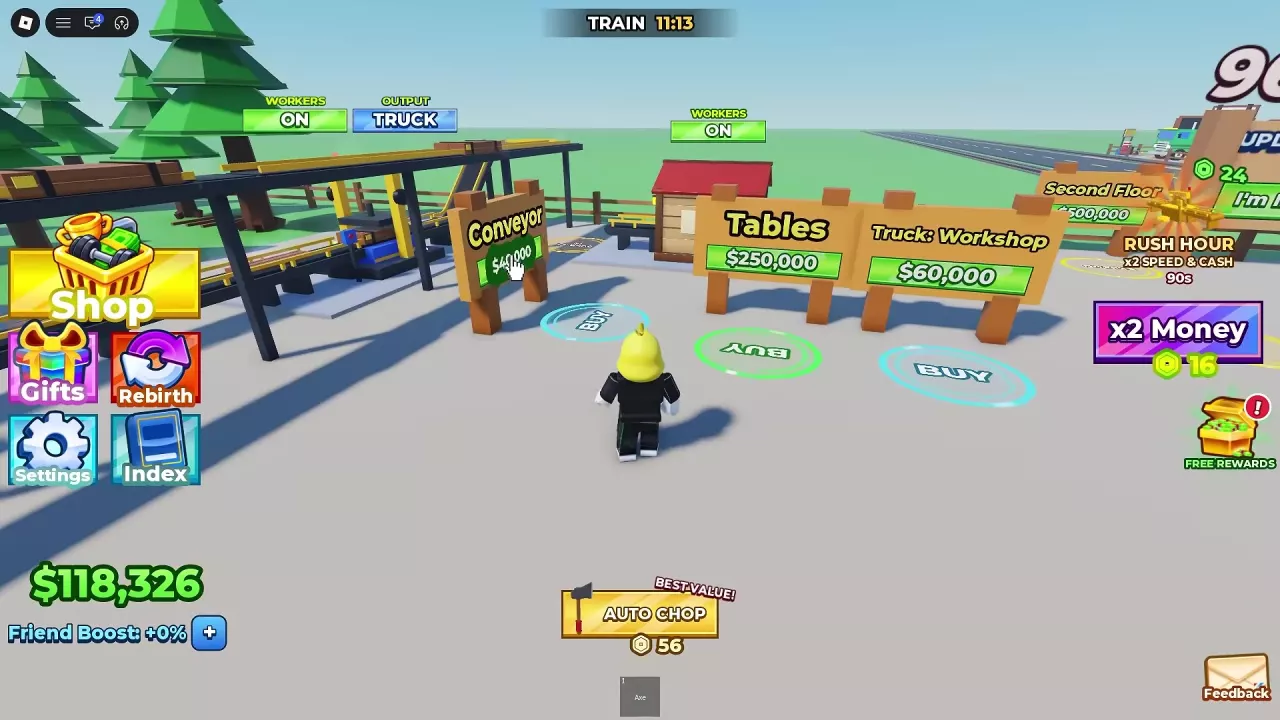
Complete your first Rebirth, then build the Workshop for $50,000. Buy its $40,000 input Conveyor and the $60,000 Truck: Workshop extension, set the upstream output to NEXT, and keep the Workshop at WORKERS ON with OUTPUT TRUCK. Tables costs $250,000 and the later Beds upgrade costs $1,200,000.
Unlock and Build the Workshop
Complete Rebirth 1 to unlock the Workshop purchase point, then build it for $50,000. You also need an operating wood-processing line to supply it.
Budget $150,000 for the Workshop and its two connections: $50,000 for the building, $40,000 for the incoming Conveyor, and $60,000 for Truck: Workshop. This total excludes the upstream processing line and later furniture upgrades. See the Rebirth guide for the requirements and reset details.
Connect Input and Send Chairs to Trucks
- Buy the $40,000 Conveyor beside the Workshop to connect the processing line to its input.
- Set the upstream processing node's OUTPUT to NEXT so material continues toward the Workshop.
- Buy Truck: Workshop for $60,000 to extend the truck conveyor to the Workshop.
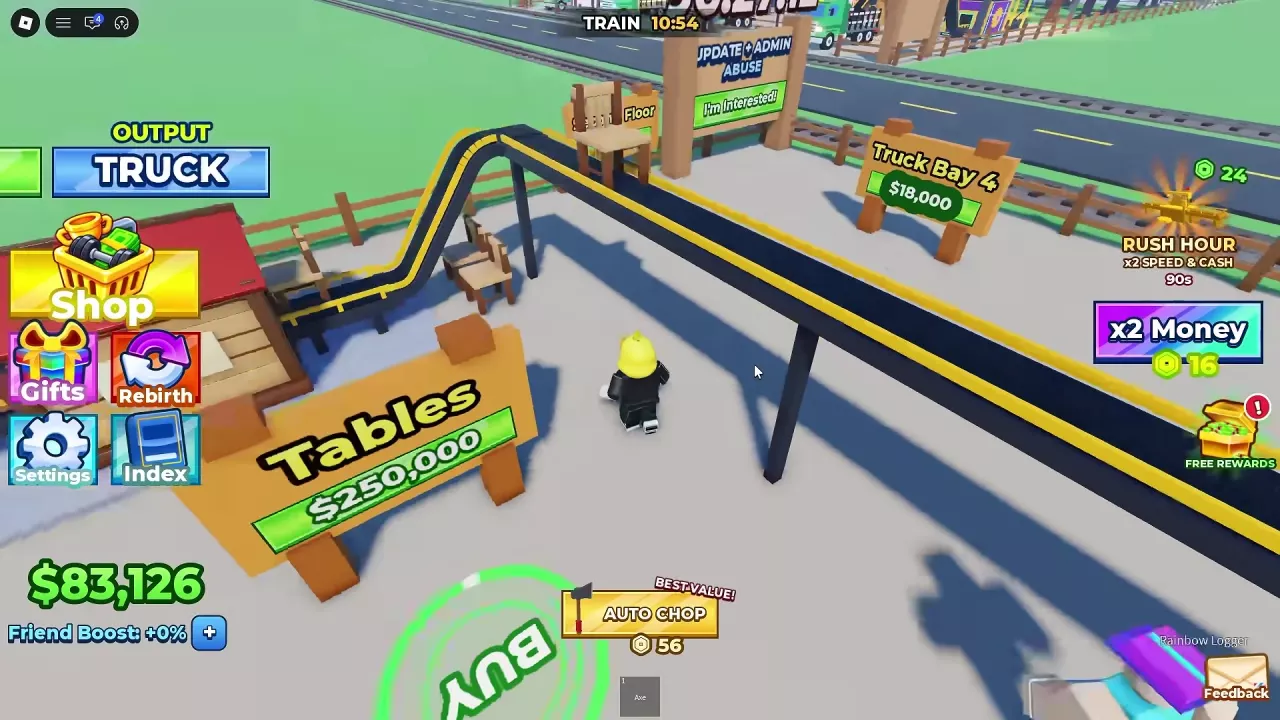
- Keep the Workshop's WORKERS setting ON and set its OUTPUT to TRUCK. The Workshop makes chairs, which travel along the elevated conveyor toward the trucks.
Upgrade from Chairs to Tables and Beds
The Workshop starts with chairs. Buy Tables at the Workshop purchase point for $250,000 to upgrade the facility to a Table Factory that produces tables. After table production, buy Beds for $1,200,000 to move on to beds.
These are facility upgrades: each changes the furniture produced by the line. For product sources and conditional sale values, see wood and furniture.
Keep the Furniture Line Supplied
- No material reaching the Workshop: Check that the upstream processing line is running, the incoming Conveyor has been bought, and the upstream output is set to NEXT.
- Furniture piling up: Check that Truck: Workshop has been purchased and that the Workshop output is set to TRUCK.
- Worker handling needs adjustment: Check WORKERS at the affected node. Each node has its own switch; some conveyors continue moving products when a node's workers are OFF. Keep the first Workshop's workers ON for the setup above.
For broader troubleshooting, see workers, conveyors and output. Rainbow furniture belongs to the third-floor production area with Workshop III; see upper-floor construction for its unlock and building steps.